How To Preview Function
When you have a function that can be previewed, the symbol ▶︎ shows up in the left sidebar. By clicking on it, the preview on the right will update accordingly.
A function can be previewed if it returns some of the following:
- parametric models (
SKYCAD.ParametricModel) - static model (uploaded 3D-model, e.g.
ASSETS.STATIC_MODELS.MY_MODEL) - sketch (
SKYCAD.Sketchor any built-in ones likeSKYCAD.generateRectangleSketch) - layout (
SKYCAD.Layout) - static sketch (uploaded dxf-file, e.g.
ASSETS.STATIC_SKETCHES.MY_SKETCH)
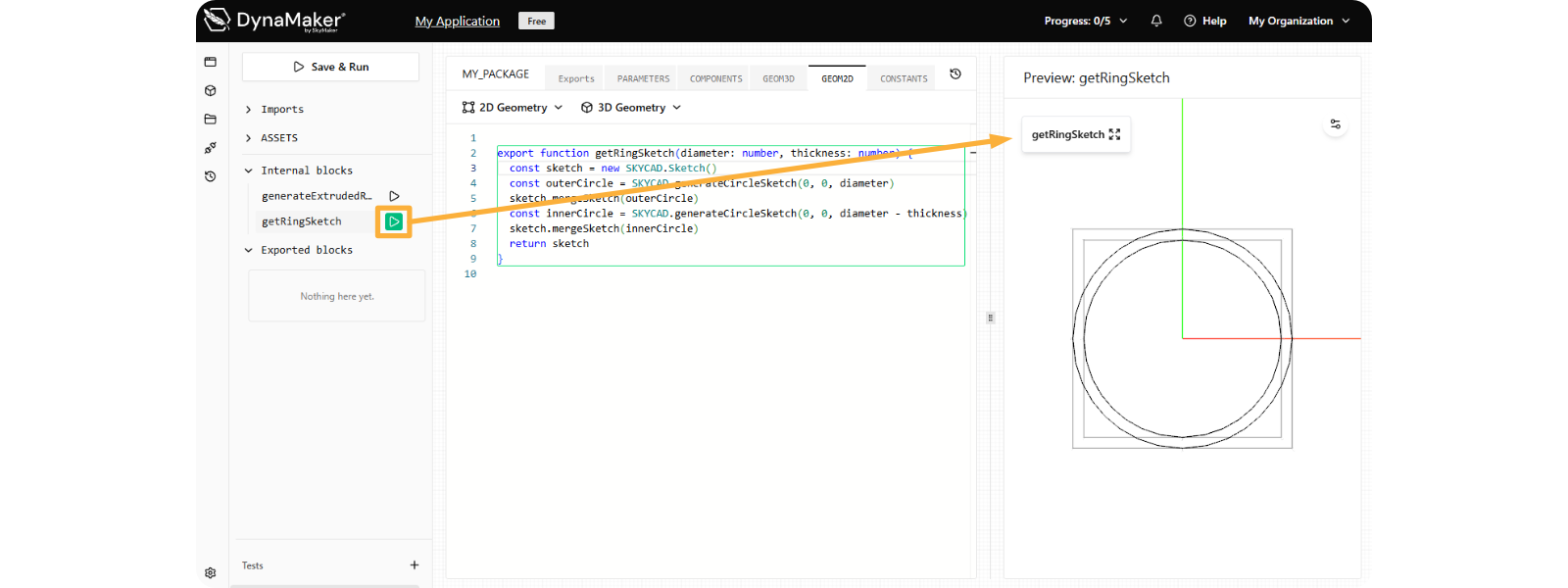
A function cannot be previewed if it returns some of the following:
- number (see
getRingThicknessin picture below), string, boolean. enum,typeorinterface.- object of any structure (see
getRingDatain picture below) undefined- a list or array of any of these
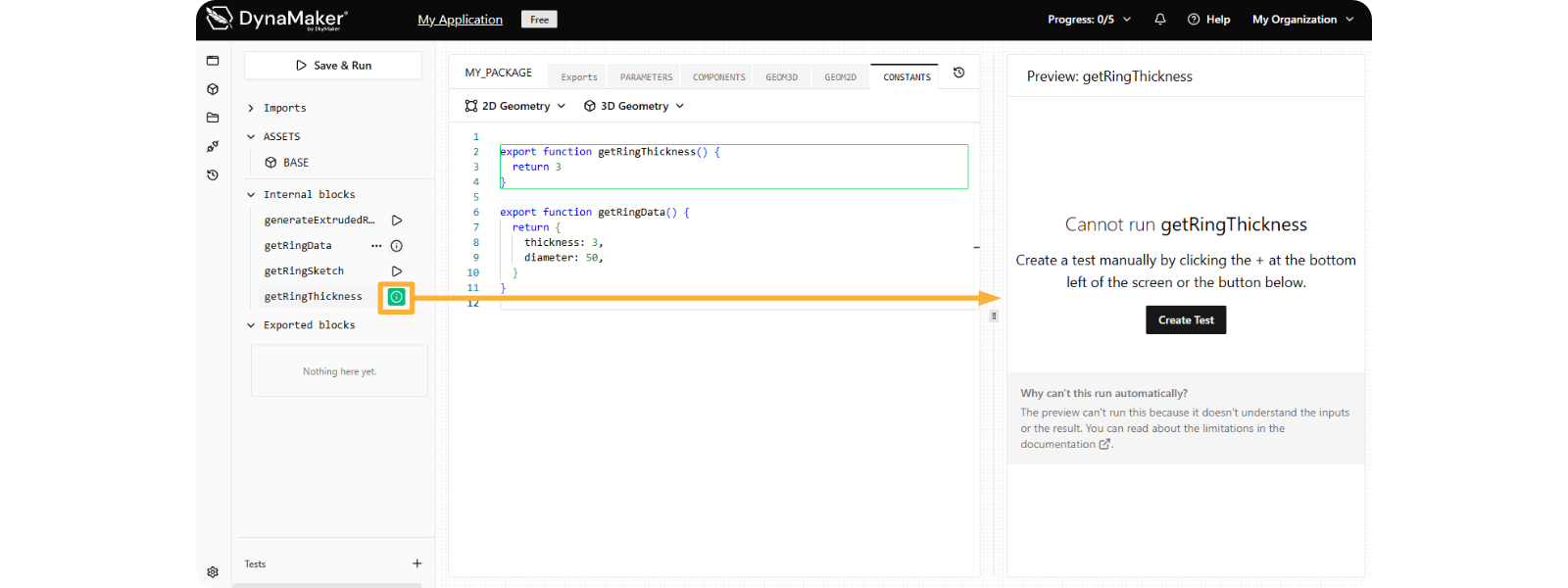
Notice how the ▶︎ disappears and ⓘ shows up instead but only when hovering the mouse, to indeed indicate that the function cannot be previewed. Therefore a prompt saying that a manual test can be created in order to use these internal blocks in functions that can be previewed instead.