How To Rename Function
At some point, you might want to rename a variable, a function or any other. Although this guide applies to any of these, let's take the typical example of having a function used in two places within the Code Editor.
In the example below we have:
- in GEOM2D,
generateRingSketchthat generates a sketch of a ring. - in GEOM3D,
generateExtrudedRingModelthat generates a model as extrusion fromgenerateRingSketch.
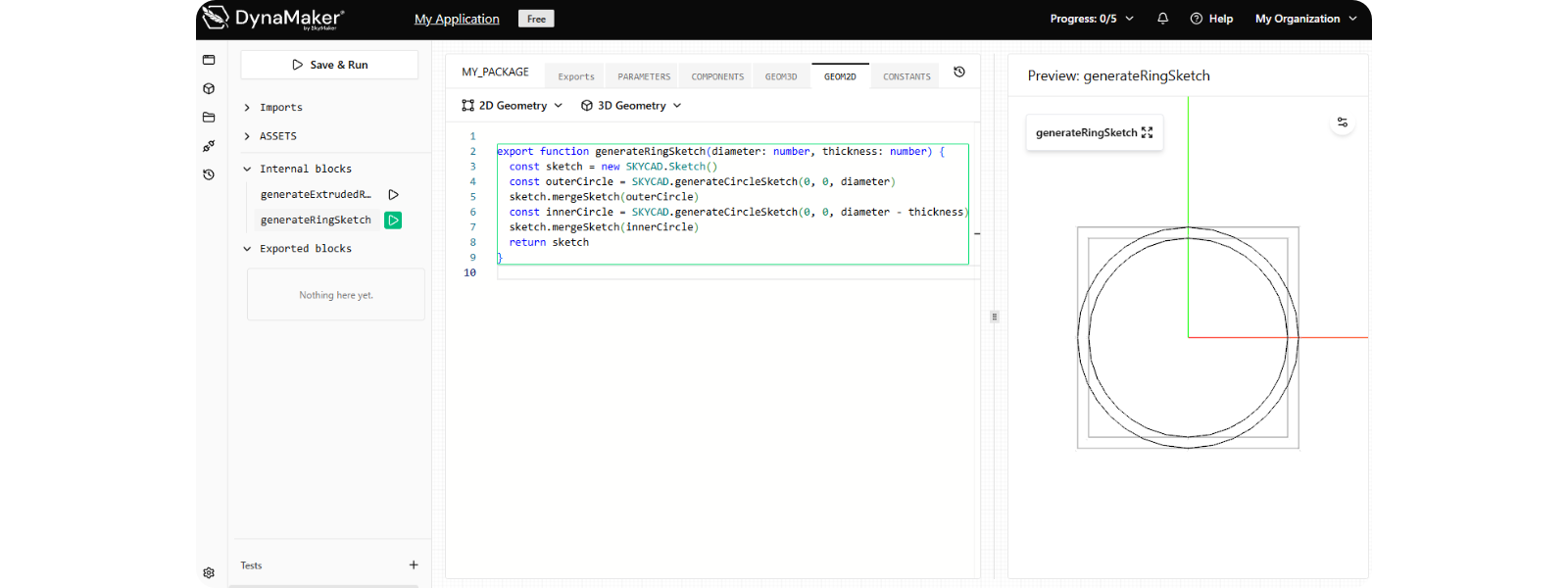
It's completely valid to go in both tabs and manually rename the function, but this could lead to unexpected bugs if mispelling or simply missing updating it in one place/tab could happen.
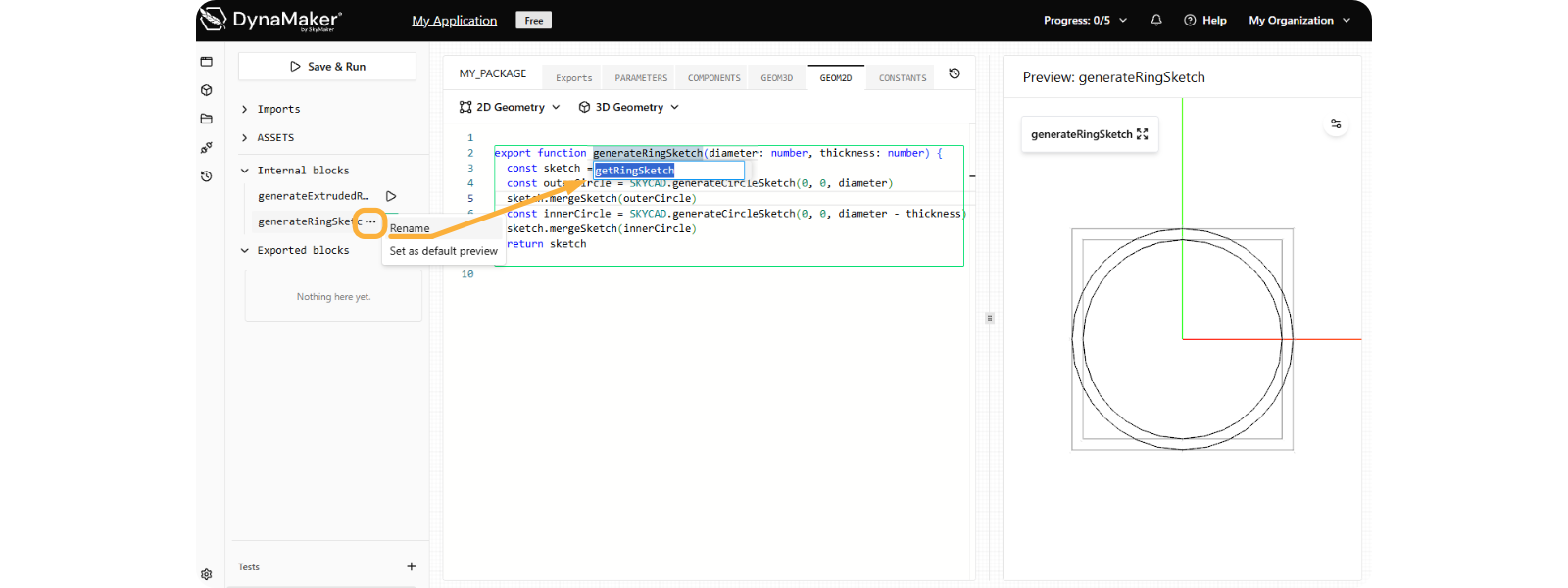
Rename the function in GEOM2D smoothly like the following:
- in the left sidebar, hover the mouse over the function you want to rename.
- notice that the symbol ••• shows app next to ▶︎.
- click on Rename.
- edit the name in the input-field that appears under the name of the function in the Code Editor.
- in your keyboard press Enter to apply changes.
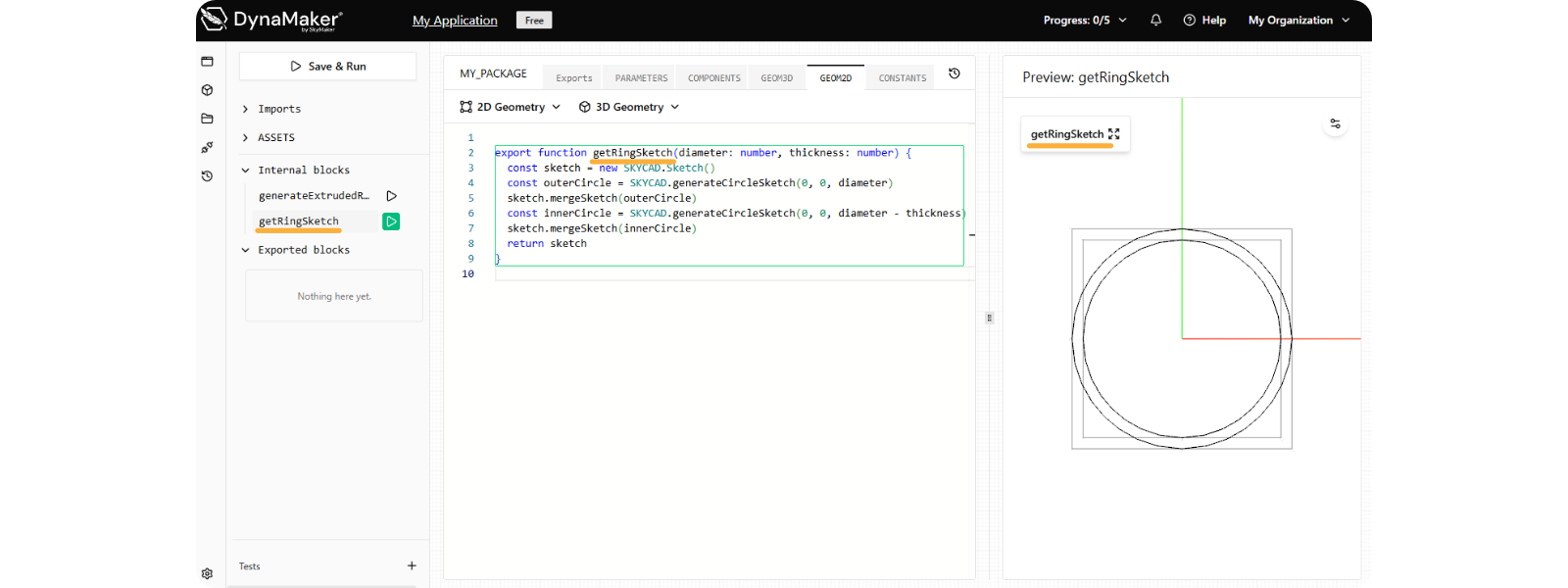
Notice how the name of the function has updated in the three relevant places:
- in left sidebar.
- in Code Editor, both GEOM2D and most importantly wherever it's used (i.e. GEOM3D here).
- in right Preview when visualized.
For a faster renaming, you can use the key F2 in any place where the function is used, giving you the
flexibility to update the name of the function in less relevant tabs (i.e. in GEOM3D, generateRingSketch
could be updated).
Renaming via ••• or F2 only works within a package. Therefore if an exported function, constant or so is used in another package (e.g. other component, drawing, custom UI, etc), renaming won't take effect in those. This will give you an error in said package saying that the function is no longer available and requires manual renaming.
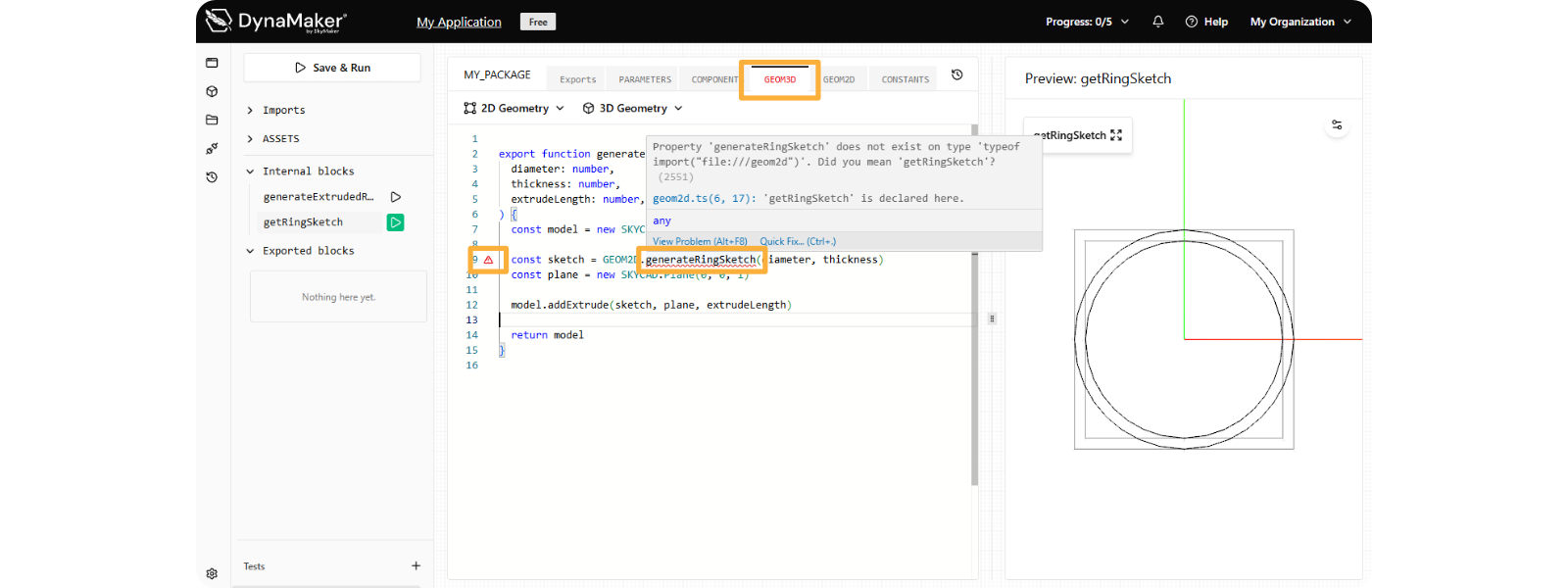
To show this in a brief example, we renamed the function manually in GEOM2D instead, giving the error in 3 places:
- name of tab GEOM3D in red at the top.
- line with ⚠︎ in red at its left.
- name of unavailable function in red, that if we hover the mouse over it, it will give a clear error message if it has enough information.