How To Publish
Publishing a product configurator in DynaMaker is straightforward. You can use any product configurator you have built that already has a working component building block (and ideally a configuration model) in a package, no matter how polished it is. This tutorial does not require coding, only a few clicks.
It requires two steps:
Here's a quick example of how publishing works for a product configurator with a working configuration model and component with visualization:
1. Publish Online
When you are done with your packages and configuration model, you can then publish online. Then you will:
a) set up the product configurator preview
b) publish to web
A. Product Configurator Preview
Taking Tutorial 8 as example:
- Choose the following options:
- Layout > Configuration Model Sidebar and Visualization Model (default UI).
- Visualization Model > Component (in package ASSEMBLY).
- Configuration Model > configurator.
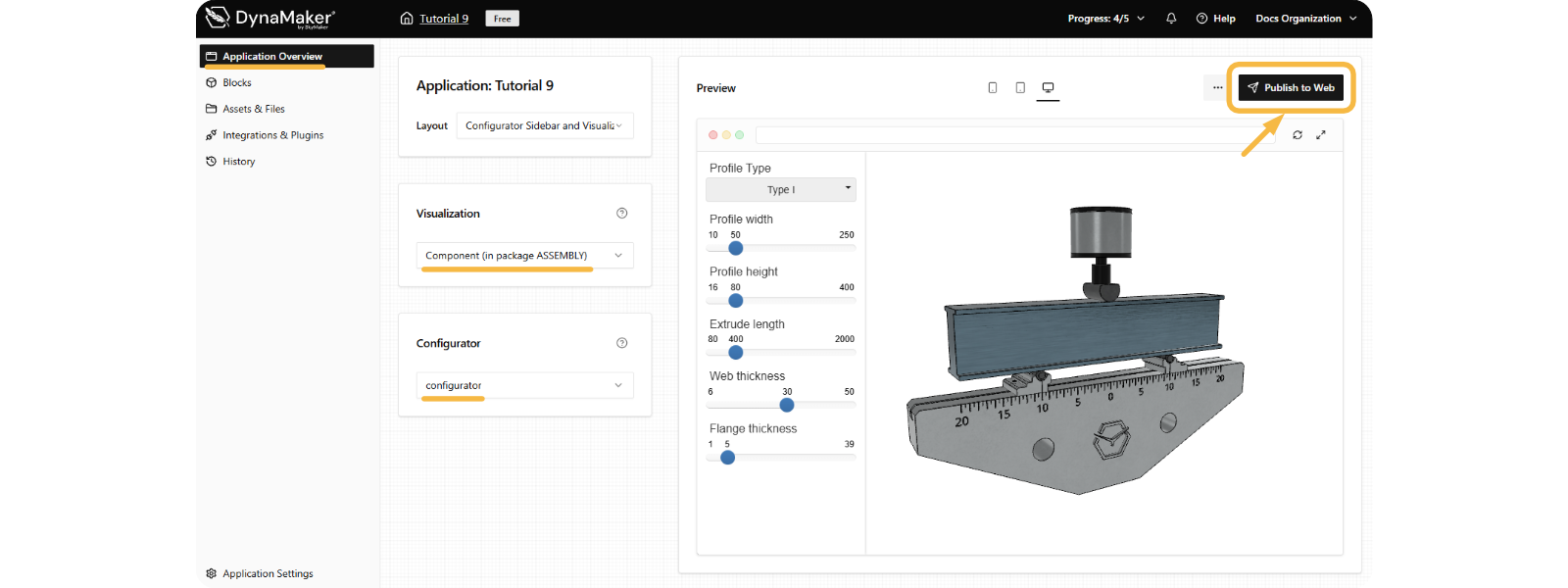
Notice how the preview on the right updates depending on the options chosen.
B. Publish To Web
In order to publish a product configurator, a DynaMaker subscription is needed. If you do not have one, you can keep reading the guide to see how it's done.
- Click on Publish to Web.
- Assign a bought subscription (keep reading the tutorial if you don't have a subscription yet):
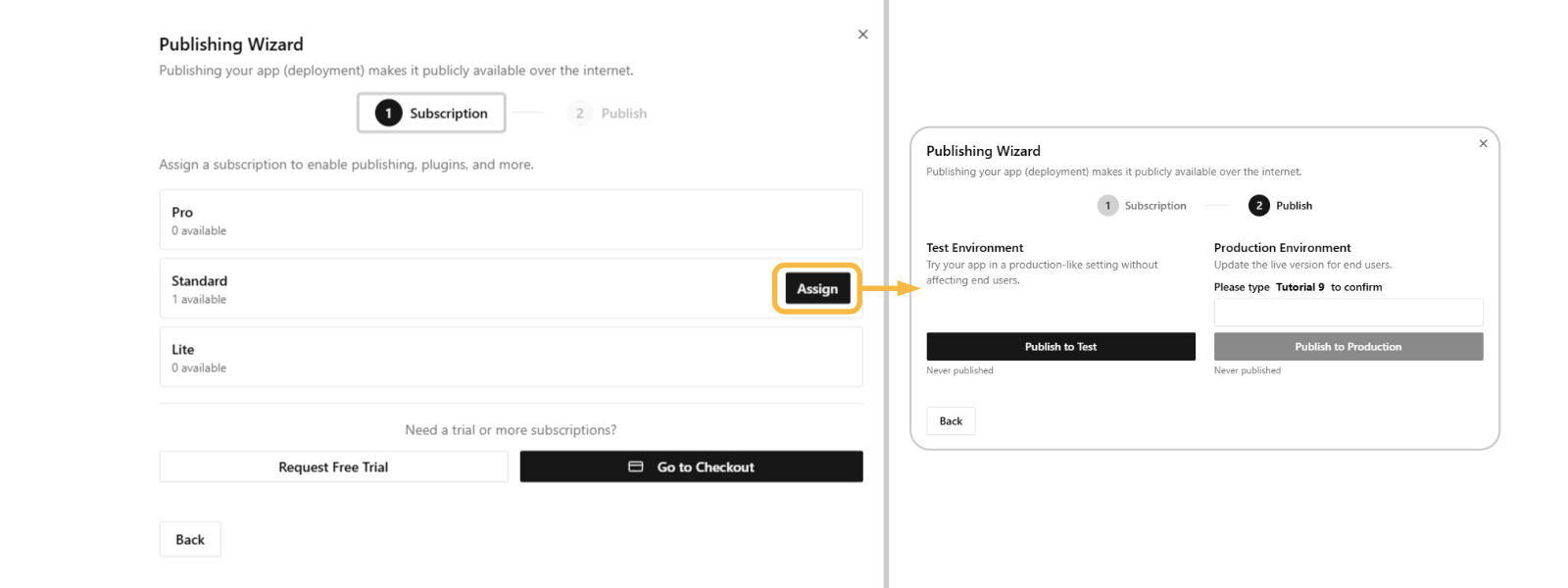
- Click Publish to Test to make your product configurator online ready for testing.
- Click Publish to Production to make your product configurator online ready for the end user.
2. Understand Publishment
Your product configurator can exist in three environments:
- Editors: what you as an engineer work with continuously, and what the user never sees.
- Test site: published product configurator meant to show experimental changes, typically for user testing.
- Production site: published (error-free) product configurator meant to be used by the user, it must be polished.
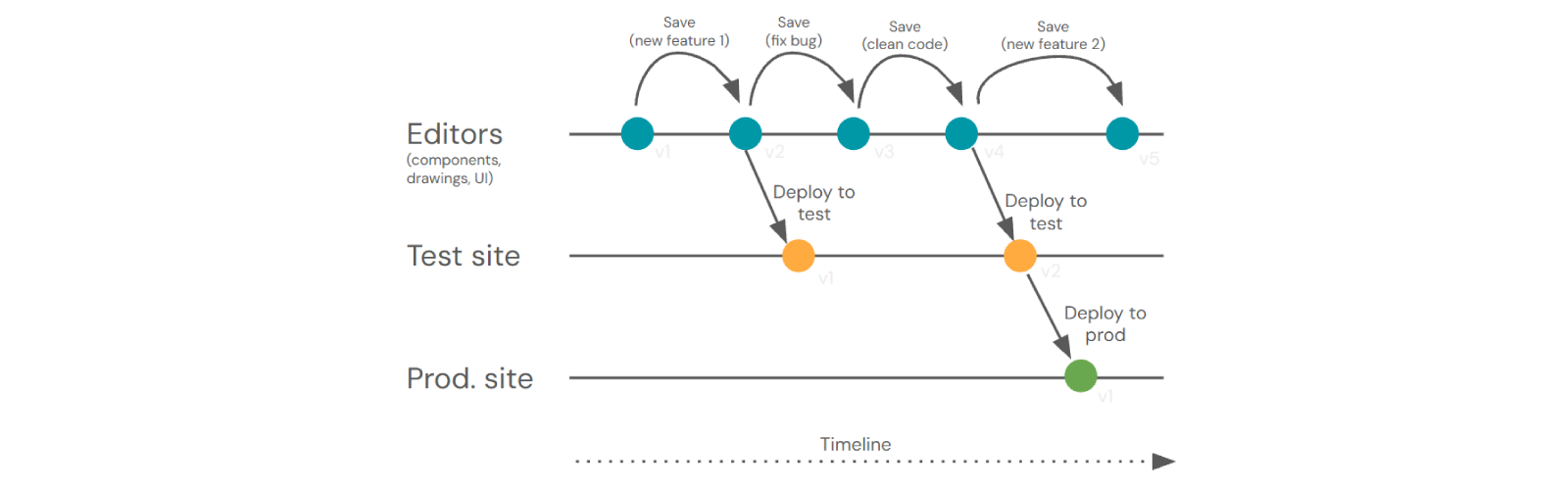
The typical workflow of publishing a product configurator (see picture above) is:
- Building Product Configurator: Engineer builds the product configurator based on requirements (editors v1).
- Implementation: Engineer adds the feature (editors v1 → v2).
- Internal Testing: publish to the Test site (test v1) and share the URL with e.g. Sales for feedback.
- Bug Fixing & Improvements: if Sales reports issues, engineer fixes them, improves code (editors v2 → v3 → v4), and republishes to Test site (test v2) for re-review.
- Approval & Release: once approved, publish to Production site (prod v1) and give Sales the customer-ready link.
- Next Cycle: Sales gathers new feature requests while customers use the current version; engineer works on them in editors (v4 → v5), then repeats the cycle.