April 2026 update
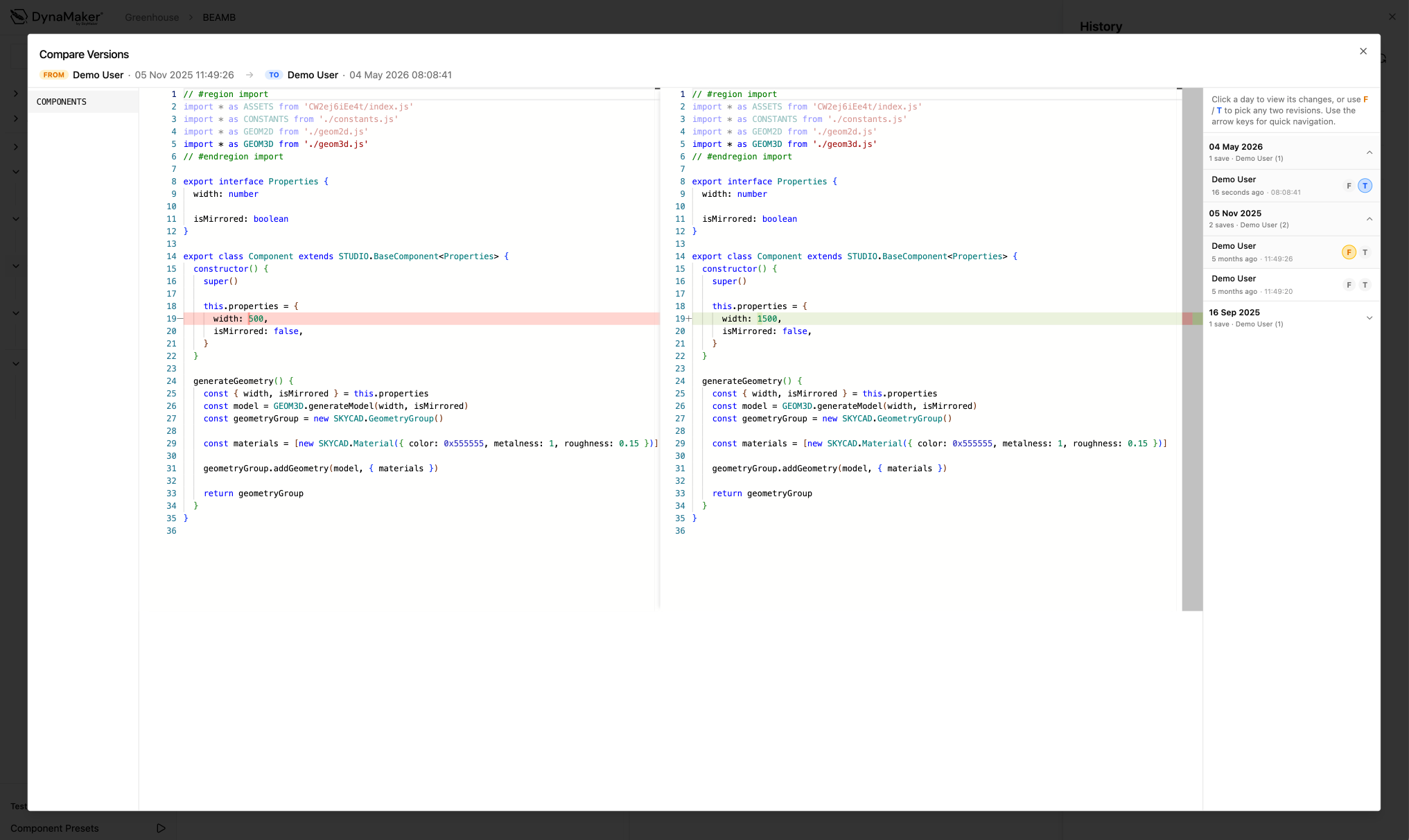
Compare versions
You can now compare (previous) versions of your code. Open the History sheet via the menu in the top right corner, then click the "Compare versions" button to open the comparison view.

Notification center
You can now see any notifications such as upcoming webinars or planned maintenance by clicking the bell icon in the top right corner.

Various improvements and bug fixes
- Version history now works in library context as well.
- The "import region" is now hidden by default in the code editor. This can be toggled on and off with the "Hide import region" option in the editor settings.
- Fixed an issue that prevented version history from showing for some components.
- Fixed an issue where secret formulas failed to update when publishing.
- Fixed an issue that would sometimes cause excessive memory usage in the code editor.