September 2026 update
In September, we added tools for configurator rules and geometry, file uploads in asset dialogs, and download actions for generated applications. We also released tools for creating configurator and visualization blocks without writing code earlier in the month.
Configurator rules
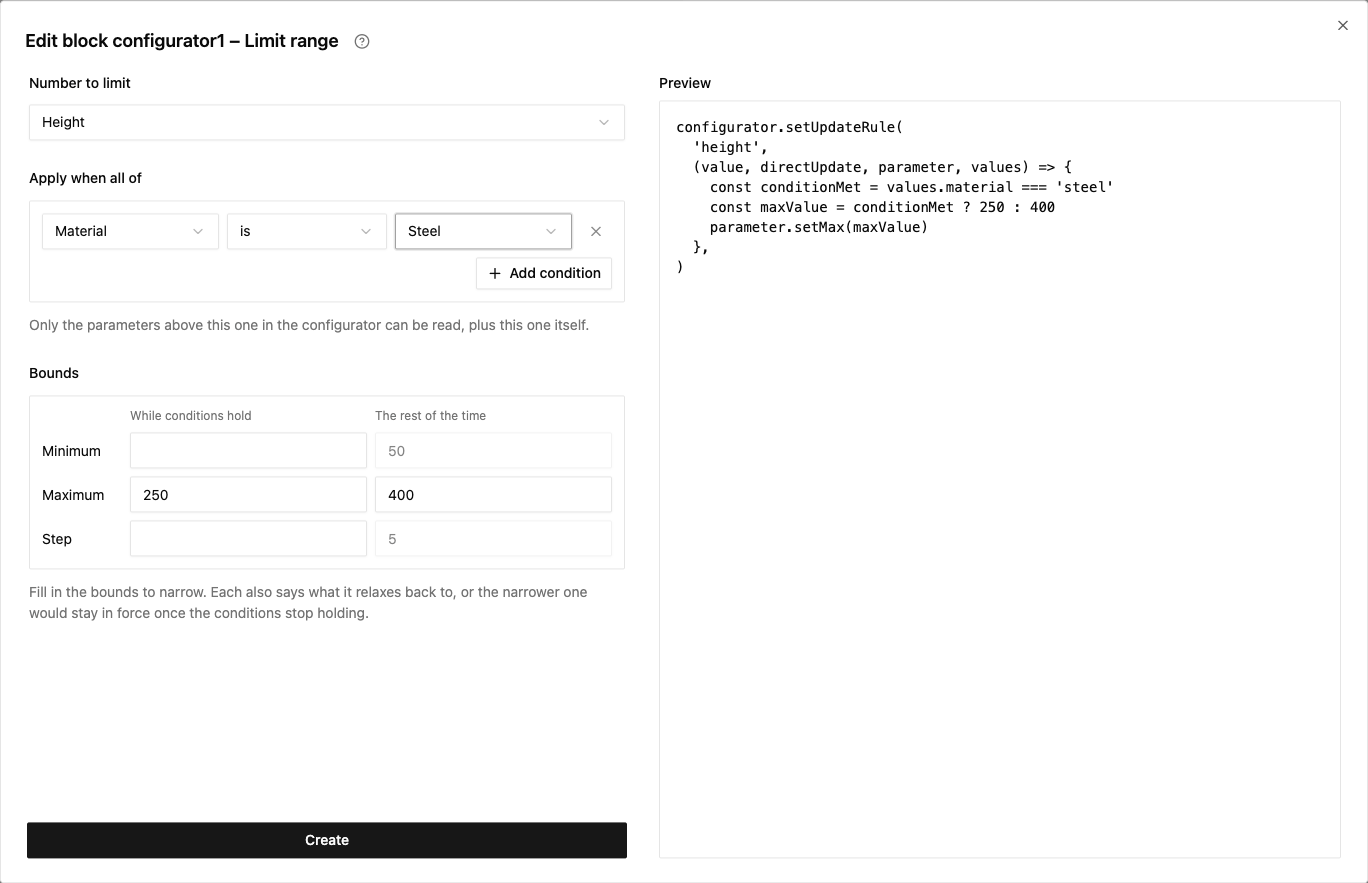
You can now add rules to configurator blocks from the component editor's Rules menu. Hide or disable parameters, set values, limit number ranges, or restrict dropdown choices based on other parameter values.
For example, you can limit the height to 250 when Steel is selected and allow up to 400 for other materials. The dialog shows the code it will add to the configurator.
New geometry tools
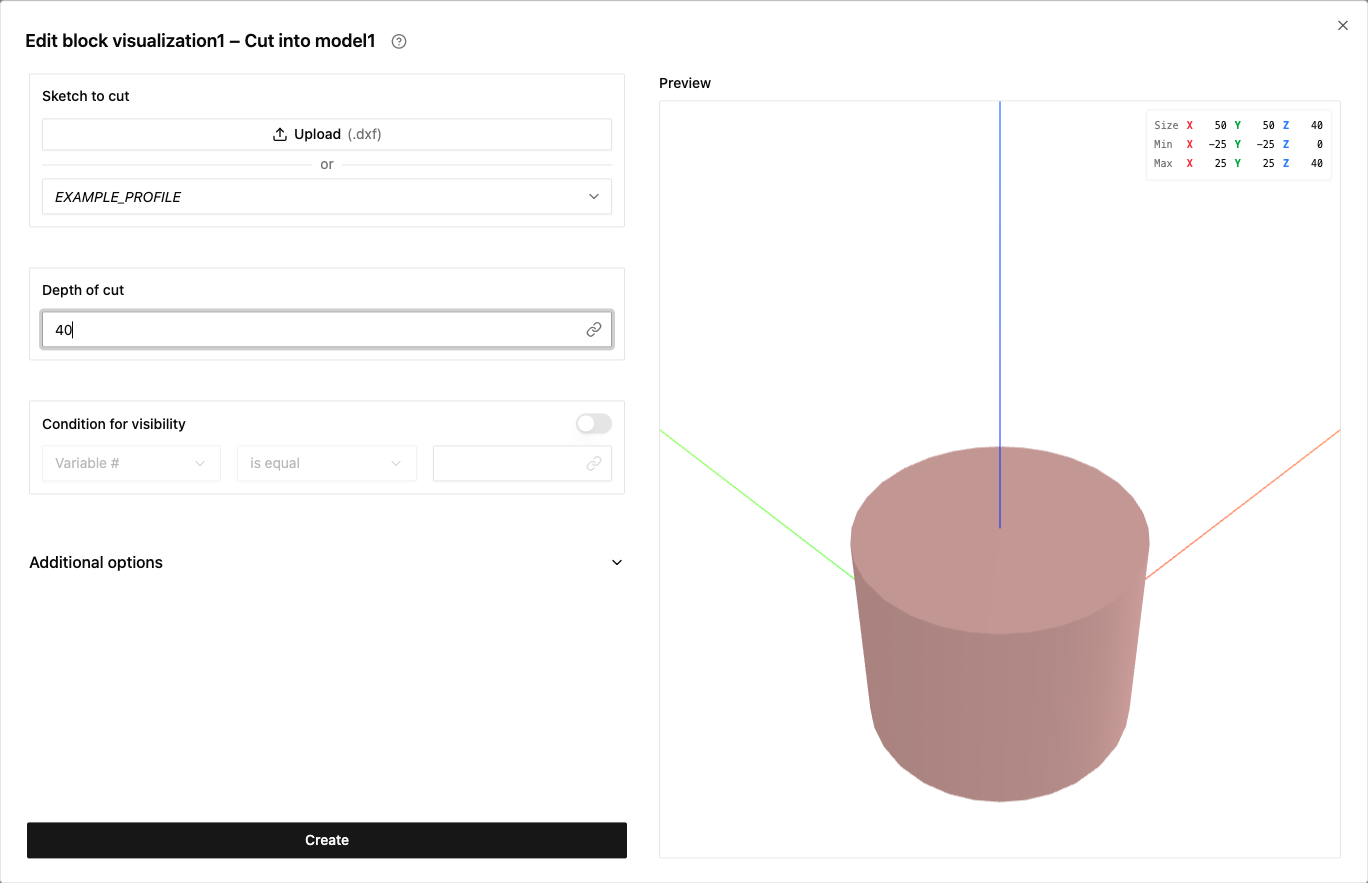
The Dimension tool lets you measure between two points and show the distance in the 3D view. Use Extrude Cut to cut an extruded sketch out of an existing model. The tool previews the shape to remove.
Easier asset creation and material styling
You can now upload a file directly while creating an Image, Texture, Static Sketch, Static Model, or Dataset. The dialogs show a preview before you create the asset. You can also select a file already uploaded to the application.
When creating a Static Model, you can adjust its scale, origin, and rotation. When uploading a STEP file, you can keep the original file as a source reference.
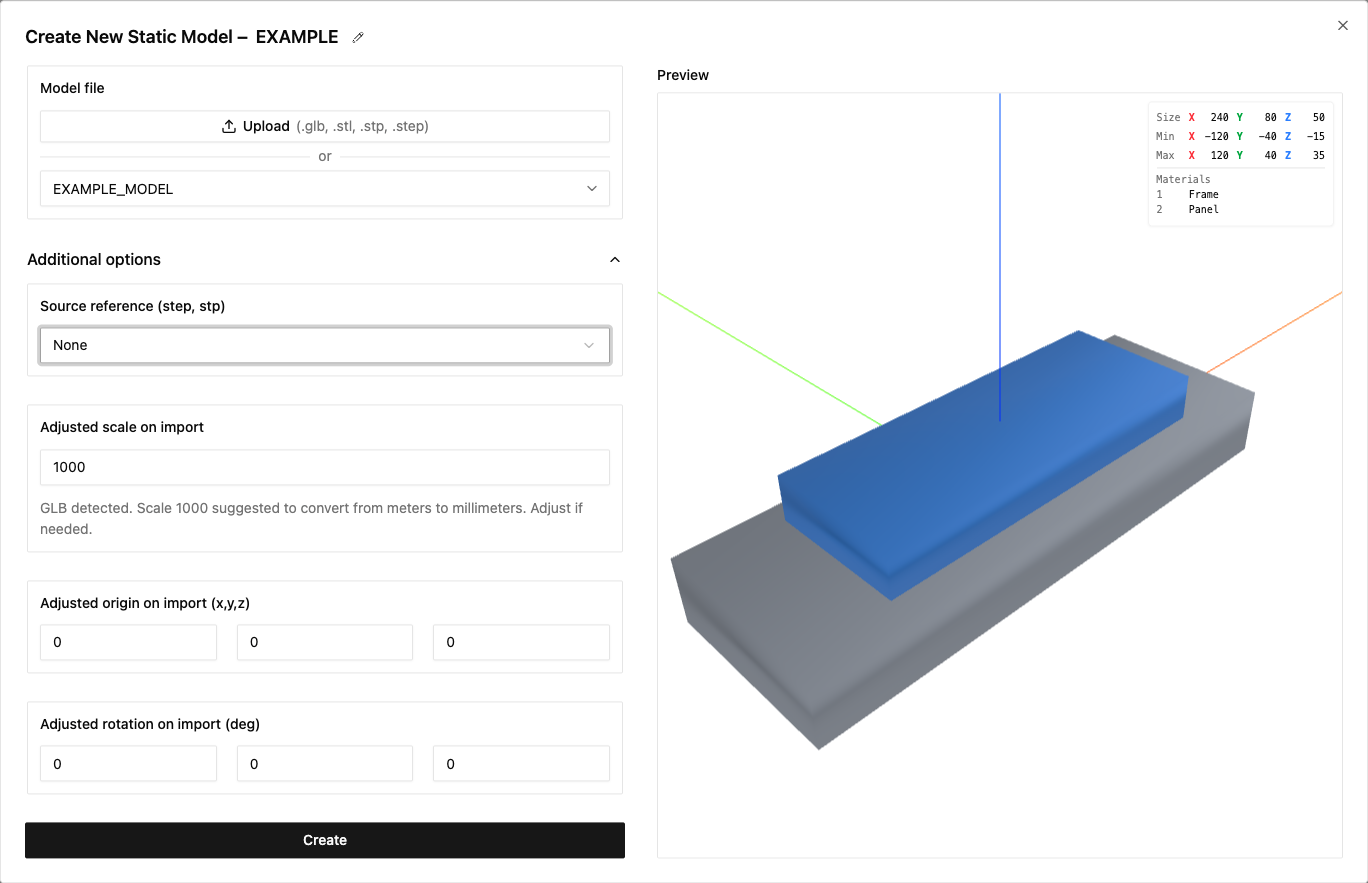
The Place Geometry tool now lists the materials named in an imported model and previews color overrides. GLB optimization now preserves material names used for styling.
Download actions in generated applications
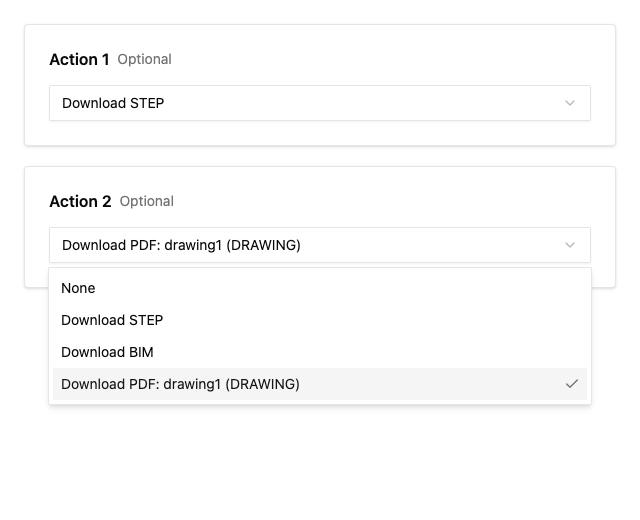
You can now add Download STEP and Download BIM actions to the sidebar of applications using the generated UI. Select the actions in the application overview before publishing.
You can also select a drawing exporter block as a Download PDF action. Drawing exporters can take a component, geometry from a visualization block, or no input.
Other improvements
- When creating a custom user interface, you can now select existing configurator, visualization, and drawing exporter blocks. The generated starting code connects the selected blocks for you.
- Geometry previews now have more consistent axes, geometry statistics, settings, and selection controls. Parameter panels keep the Run button accessible in small previews and correctly handle negative numbers and values entered inside object inputs.
- Datasets now support semicolon-separated CSV files, including files saved by Excel in Swedish and other decimal-comma locales.
- SKYCAD APIs for geometry groups, connectors, sketches, and layouts now accept
plain coordinate objects instead of requiring
Vector2DorVector3Dinstances. - WordPress quotation emails now use HTML and include links to edit saved configurations.
Updated tutorials and how-to guides
We updated the first tutorial and added how-to guides for creating blocks, parameters, sketches, and geometry. We also reorganized the integration documentation.
Bug fixes
- Fixed an issue where importing a library component did not include other components it depended on within the same library.
- Fixed missing dimensions and incorrect text orientation in projected drawing views. Dimension labels and measurement directions now rotate correctly with their layouts.
- Fixed an issue where shared geometry could accumulate tags from different component instances, causing selection to identify the wrong component.
- Fixed component placement and missing instance tags when generating lightweight geometry.