October 2026 update
In October, we made the geometry tools work with components, showed building block dependencies in the structure graph, and added an option to keep the preview's view when you save. We also updated the dashboard navigation earlier in the month.
Geometry tools for components
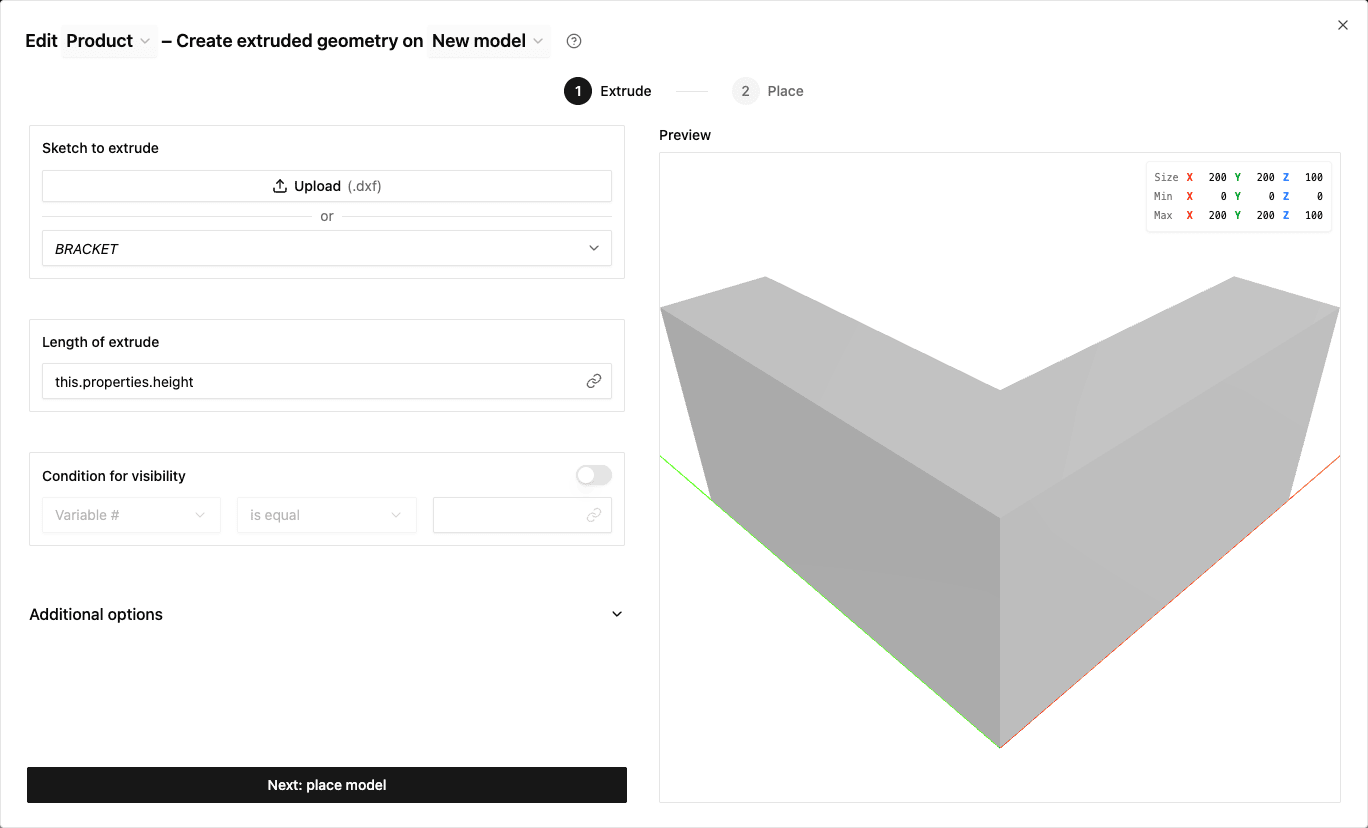
When you create a component, you can now choose its input. None, the new default, creates an empty component. Width, depth and height creates the box component that new components used before.
Extrude, Insert/Upload, and Dimension can now add geometry to a component's generateGeometry, as they
already do for visualization models. You can link values to the component's properties, for example an extrusion length
to this.properties.height.
Building block dependencies in the structure graph
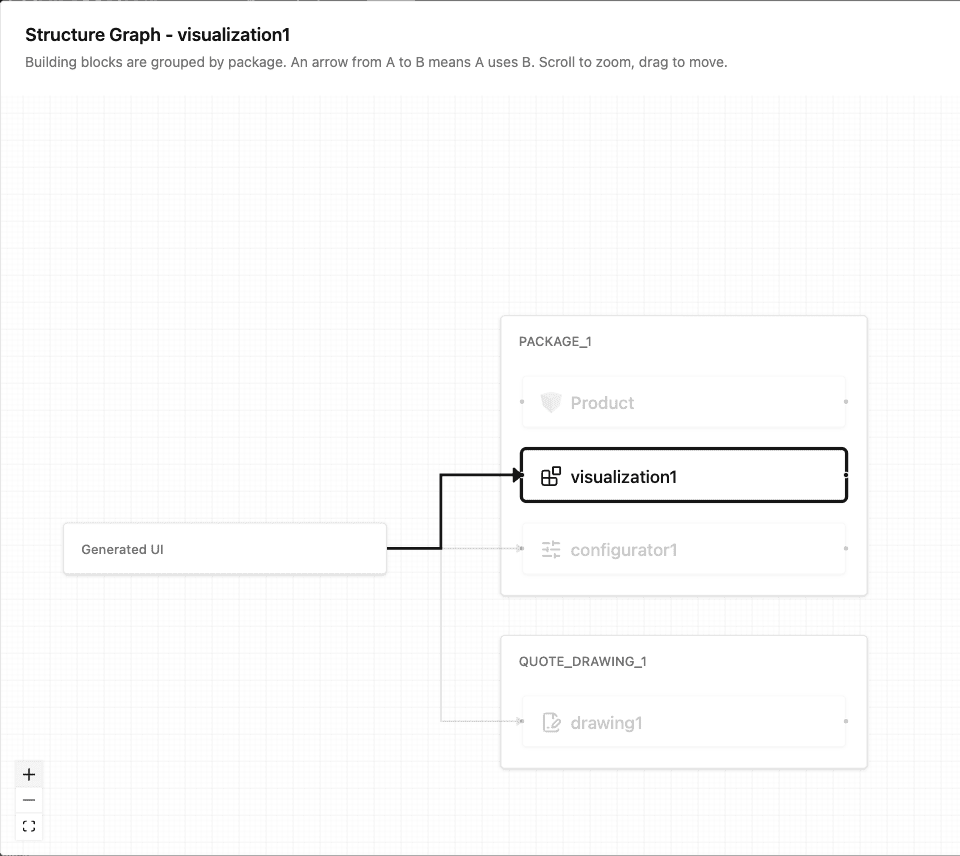
The structure graph now shows the exported building blocks inside each package and draws an arrow from each building block to the ones it uses. Open the ... menu on a building block in the list and choose Show Structure Graph. The graph centers on that building block.
Keep the preview's view on save
Saving or rerunning a building block used to reset the preview's camera. Turn on Keep View on Save in the preview's settings menu to keep your zoom and pan when you rerun the same building block or test. The option is off by default and applies to 2D, 3D, component, and visualization model previews.

Other improvements
- You stay signed in for up to 30 days if you use the dashboard at least once a week. When your session expires, the dashboard asks you to sign in again and keeps unsaved code in your open tabs. Signing in from one tab unlocks the others.
- In Assemble & Publish, the preview's ... menu now has Camera Settings for product configurators that use the generated user interface. Save the current view as the starting camera, or type its position and target. Fit camera on configuration change is on by default. Turn it off to keep the camera where the end user left it.
- Display Settings in the same menu lets you choose a Room or Outdoor scene and turn edge lines on or off.
- The tests dialog shows one row per package with its result, and lists each failed test with its error message. Packages without tests show No tests instead of looking like failures. Closing the dialog stops the run.
- New tests can target building blocks in any file of the package. The test edit dialog shows the test type, for example Edit Component Test.
- Home and the Product Configurators & Libraries list show whether each product configurator is published and which subscription it uses. Manage Subscription shows how many subscriptions of each plan you have left, for example "1 of 2 available".
- Browser tab titles now name the building block and product configurator, for example "Belt – Conveyor – DynaMaker".
- The Upload File dialog can keep converted STEP files as source references.
- Static models are named after their asset in geometry statistics instead of "Mesh Model".
New how-to guides
We added how-to guides for creating a product configurator, reusing CAD, creating exporters, creating components and creating libraries. We also updated the guides for parameters, sketches, and extrusion.
Bug fixes
- Fixed uploaded models, including mirrored ones, missing from the drawing preview.
- Fixed test names dropping spaces in the Rename dialog.
- Drawings with a list of valid scales now use the smallest scale and show a warning when no scale fits the content. Before, they used the largest. Dimension fonts are now used in PDF exports.
- Fixed dimension text ignoring its inherited font and misplacing characters.
- Fixed an issue where some models lost surfaces when their shapes were split.
MeshModel.clone()now keeps the model's name and source URL.- Fitting the camera now centers the model. Long or moved models were shown off-center.
- The 3D view now recovers when the browser loses its WebGL context, for example after a GPU reset. Fixed a memory leak
in
requestImage.